14 Apr 2026
Akademi Sepaktakraw Malaysia to Boost National Talent Pipeline
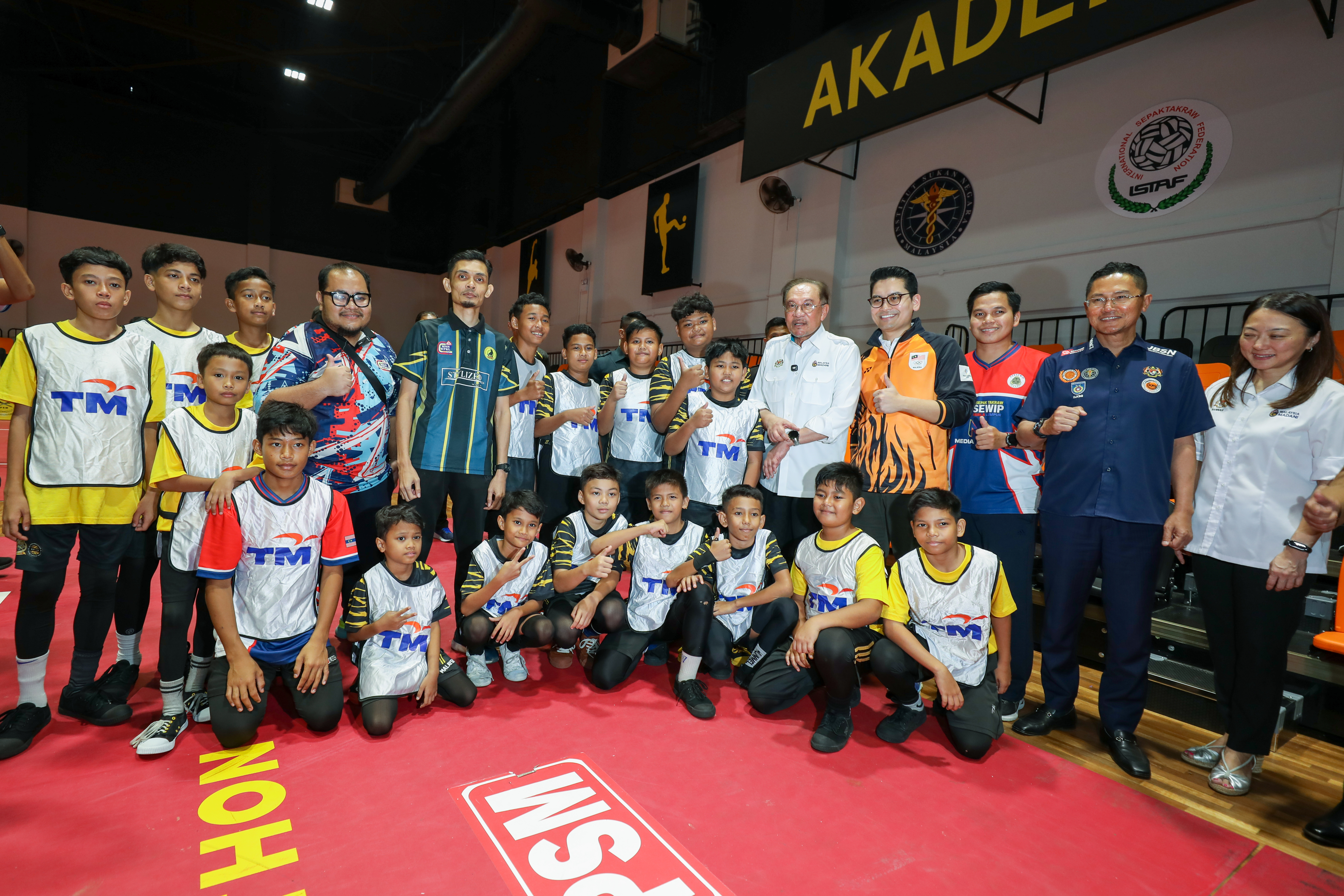

KUALA LUMPUR, 14 April 2026 – Sepak takraw, a sport deeply rooted in Malaysia’s heritage and identity, marked a significant milestone today with the official launch of the inaugural Akademi Sepaktakraw Malaysia, officiated by YAB Dato’ Seri Anwar Ibrahim, Prime Minister of Malaysia.
The Akademi signals a renewed national commitment to revitalise and elevate sepak takraw through a more structured, sustainable and future-ready development ecosystem. As the world’s first full-fledged national sepak takraw academy, it serves as a main centre for training, development and high-performance preparation, aimed at nurturing talent from grassroots to elite levels and supporting athletes across multiple pathways. Established under the Persekutuan Sepaktakraw Malaysia (PSM), the Akademi complements existing national sepak takraw initiatives and strengthens a more integrated talent pipeline, reinforcing Malaysia’s competitiveness on the regional and international stage.
PSM President, Dato’ Mohd Sumali Reduan said, “Sepak takraw is an integral part of our national identity and continues to bring pride to Malaysia on the international stage. With the Akademi Sepaktakraw Malaysia, we are putting in place a more structured and sustainable pathway for talent development, ensuring athletes are equipped with the right support, facilities and exposure to succeed. We are proud to work alongside partners such as Telekom Malaysia (TM), whose role in strengthening this ecosystem is critical as we continue to elevate the sport. Through this collective effort, we aim not only to produce champions, but to ensure Malaysia remains competitive and respected in the global sepak takraw arena for decades to come.
In conjunction with the launch, TM was announced as the Official Technology Partner and Exclusive Connectivity Provider for the Akademi Sepaktakraw Malaysia, delivering high-speed broadband connectivity to support daily operations, athlete needs and live match requirements. Through Unifi TV, TM also provides exclusive hotel TV entertainment, offering uninterrupted access to premium channels at the Akademi’s accommodation facilities. These underscore TM’s broader role as the Official Partner of the National Sepak Takraw Team, reflecting a continued commitment to supporting the sport across its full ecosystem.
TM Group Chief Executive Officer, Amar Huzaimi Md Deris, said, “We are proud to support the continued rise of sepak takraw through our role as the Official Partner of the national team, and more recently as the technology partner for the Akademi Sepaktakraw Malaysia in collaboration with PSM. As TM marks 80 years of connecting and empowering Malaysians, we remain committed to supporting sepak takraw and Malaysia’s presence on the global stage. This reflects our commitment to empowering communities and nurturing future talent under our sustainability agenda, in line with our aspiration towards becoming a Digital Powerhouse by 2030.”
The collaboration between PSM and TM was formalised in May 2025, supporting the national men’s and women’s sepak takraw teams in major regional and international tournaments, including the ASTAF Asian Cup, SEA Games, Asian Games and ISTAF World Cup. TM also supports sepak takraw talent development through programmes such as the National Sepak Takraw Development Programme (NSTDP) and Kursus Latihan Asas Sukan (KLAS). Through this continued collaboration, PSM and TM share a commitment to strengthening Malaysia’s sporting ecosystem, nurturing national talent and ensuring grassroots sports like sepak takraw continue to empower unity, pride and aspiration for generations to come.

NEWSLETTER
Just drop your details and stay updated with the world of Telekom Malaysia. We promise – no spam!
27 Mar 2026
TM LEADS IN TRUSTED AI AS MALAYSIA’S FIRST TELCO CERTIFIED WITH ISO/IEC 42001:2023
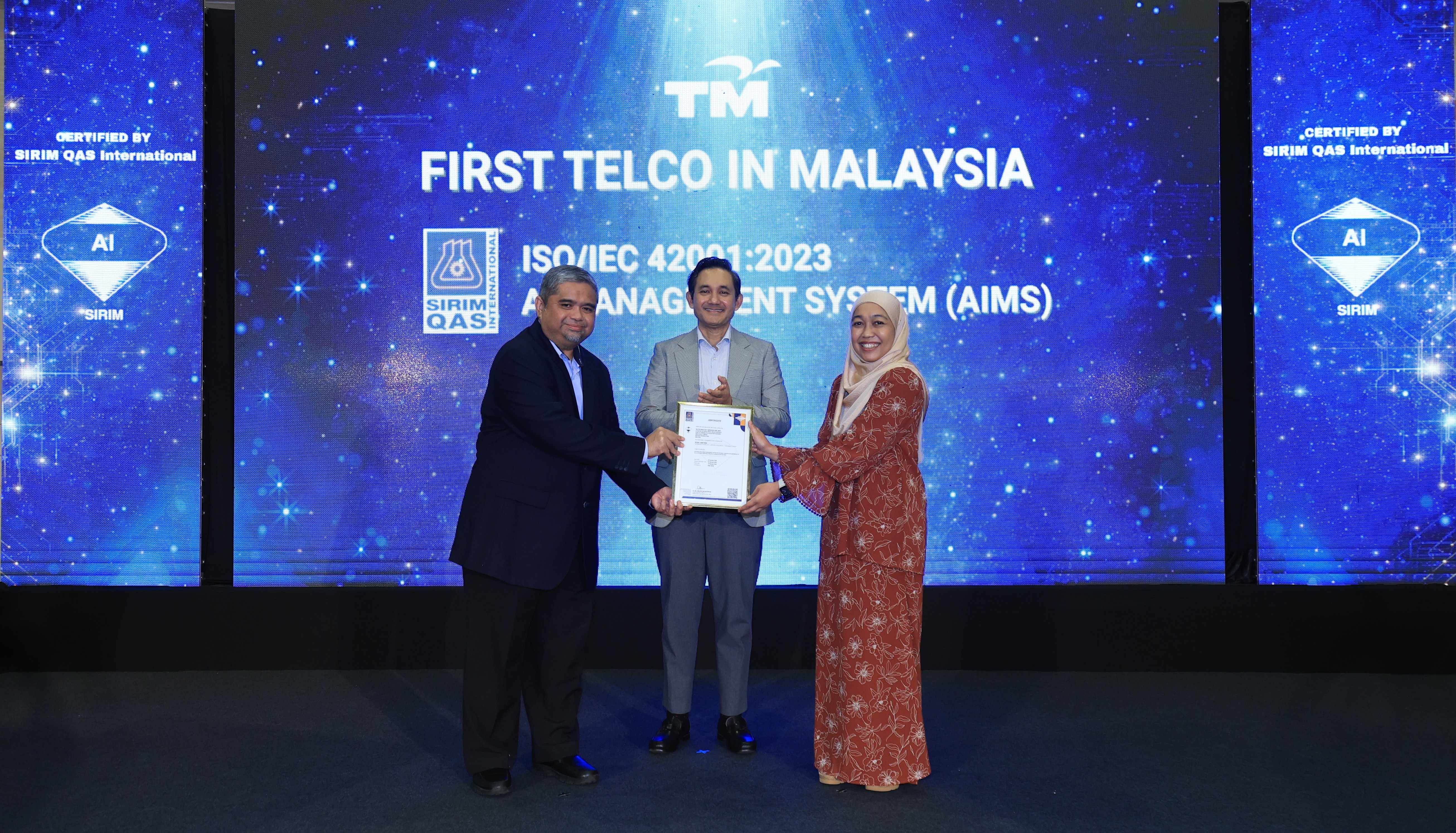
KUALA LUMPUR, 27 March 2026 – TM has obtained the ISO/IEC 42001:2023 Artificial Intelligence Management System (AIMS) certification, becoming the first telecommunications company in Malaysia to meet this standard.
The certification, achieved through its Artificial Intelligence Centre of Excellence (AI COE) and independently validated by SIRIM QAS International, indicates that TM’s AI systems are developed and deployed with rigorous governance, ethical safeguards, and robust risk management. This supports TM’s role as a reliable digital infrastructure and solutions partner providing trusted foundation for organisations to build new AI-driven solutions within clear, auditable guidelines.
Amar Huzaimi Md Deris, TM’s Group Chief Executive Officer said, “This certification marks an important step toward strengthening trust as TM continues to advance its AI journey. It assures our customers and partners that our approach is grounded in responsible governance and transparent principles, empowering us to scale transformative AI innovations with confidence and purpose.”
“As the first telco to be certified to ISO/IEC 42001:2023, TM gains a strategic advantage to pioneer structured and safe AI practices, enabling us to guide organisations with greater foresight as the nation advances toward a more innovative and trusted digital ecosystem,” added Amar.
Through this milestone, TM is reinforcing its role as a trusted digital partner, supporting safer, more transparent and well-governed AI adoption across Malaysia’s digital economy. This is in line with its aspiration to become a Digital Powerhouse by 2030.
NEWSLETTER
Just drop your details and stay updated with the world of Telekom Malaysia. We promise – no spam!
17 Mar 2026
TNB–TM EXPAND GREEN ENERGY AND DIGITAL INFRASTRUCTURE FOR CUSTOMER BENEFIT
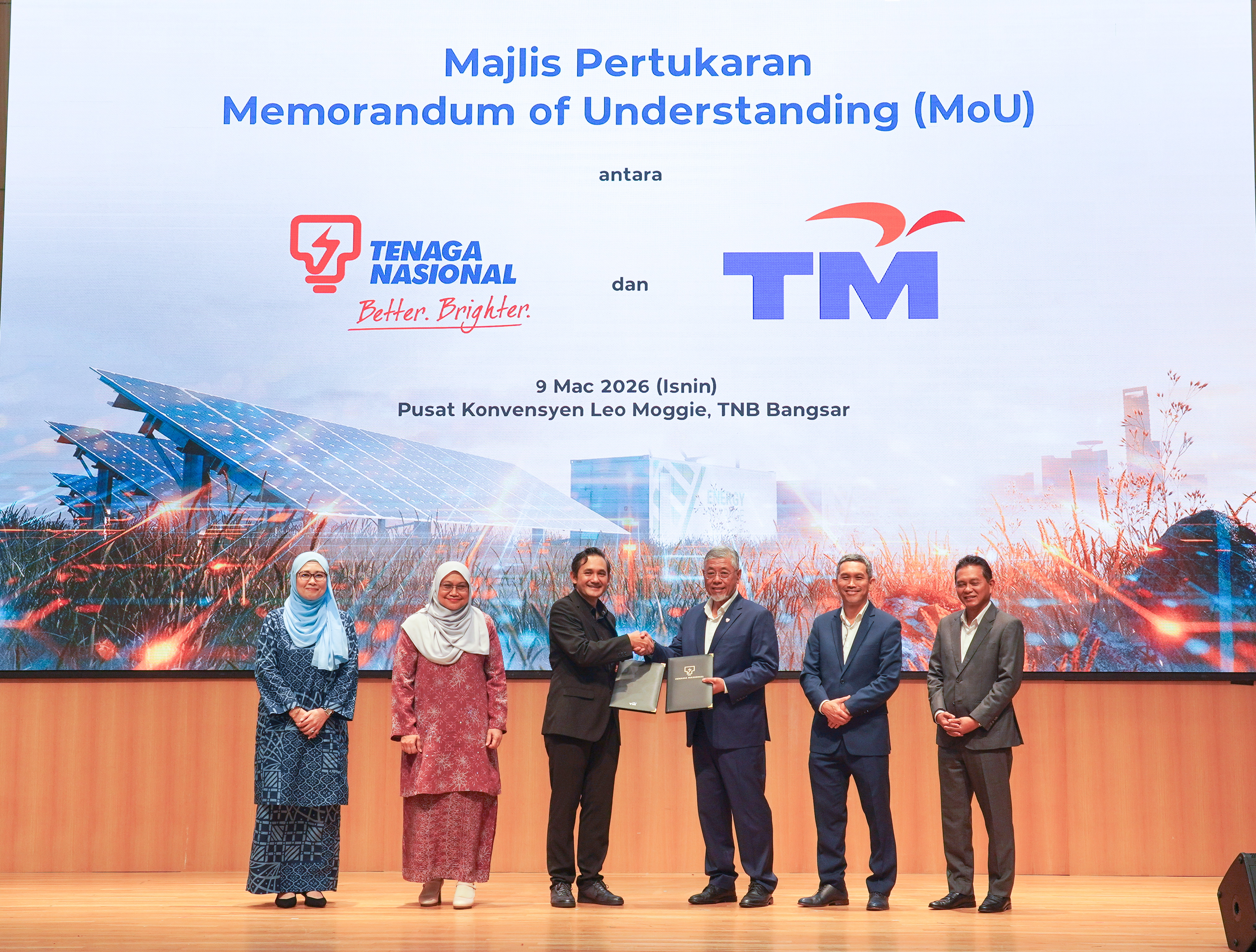
Tenaga Nasional Berhad (TNB) and Telekom Malaysia (TM) announced a strategic collaboration to strengthen cooperation in green energy solutions while developing smarter, more sustainable, and interconnected energy and telecommunications infrastructure across the country.
The exchange of the Memorandum of Understanding (MoU) documents took place on 9 March, aiming to combine the green energy and digital expertise of both companies, in line with the aspirations of the National Energy Transition Roadmap (NETR) and the nation’s digital transformation agenda. The collaboration focuses on sustainable energy solutions, digital technologies, and artificial intelligence (AI) for the direct benefit of customers.
TNB–TM Collaboration Expands Solar, EV and Integrated Digital Solutions
TNB President/Chief Executive Officer, Datuk Ir. Ts. Shamsul Ahmad said, “As an initial implementation of this collaboration, we are assessing the potential installation of solar systems at up to 150 TM premises, while targeting the expansion of solar installations to more residential Unifi Home customers annually. Through GSPARX, solar system packages will continue to be enhanced to provide greater value to consumers. In addition, the expansion of electric vehicle (EV) charging station networks is also being planned under this collaboration.
“With the expansion of EV charging infrastructure, users will have greater access to convenient charging locations, enhancing both convenience and the overall user experience. TNB also remains committed to supporting NETR to increase the adoption of renewable energy and strengthen the nation’s transition towards net-zero emissions by 2050,” he said.
TM Group Chief Executive Officer, Amar Huzaimi Md Deris said, “TM and TNB represent two pillars of Malaysia’s critical infrastructure, and this collaboration reflects our shared commitment to strengthening the nation’s energy and digital ecosystems in a sustainable and future-ready manner. By combining TNB’s leadership in renewable energy with TM’s strengths in nationwide digital infrastructure, connectivity and AI capabilities, I am confident that this partnership will create value for both organisations.”
“Aligned with the Digital Powerhouse 2030 aspirations, this collaboration reflects TM’s efforts in empowering digital transformation across key national sectors,” added Amar.
The collaboration between TNB and TM focuses on three key areas:
Sustainable Energy Solutions:
Through its solutions, GSPARX and TNB Electron, TNB will implement green energy initiatives with TM, including solar installations on buildings, bundled solar solutions, and the expansion of EV charging networks. By leveraging digital technologies, these initiatives aim to enable more efficient energy management while encouraging greater adoption of green energy.
Advancing Digital Technology:
TM and TNB will explore collaboration in digital technology and innovation as part of their joint efforts to strengthen organisational digital capabilities. These initiatives aim to enhance operational efficiency, improve customer experience, and support the development of a more sustainable and resilient digital ecosystem.
Strategic ICT Sourcing:
Both companies will evaluate more structured approaches to sourcing existing ICT services while ensuring better price alignment to enhance overall competitiveness. This initiative aims to strengthen the supply chain, optimise costs, and enhance long-term digital readiness.
Benefits to Customers
Under this collaboration, customers will benefit from reduced operational costs, access to EV charging facilities at selected locations, and the use of smart digital systems and AI-driven analytics to monitor energy consumption. These capabilities will enable earlier detection of disruptions and faster power restoration, ultimately enhancing the overall customer experience.
The relationship between TNB and TM has long been established, including communications network support to major substations, SMS services, and cloud contact centre services, as well as collaboration in green energy programmes.
As of 31 December 2025, GSPARX, which was officially established in January 2018, has successfully secured more than 530 megawatts (MW) of rooftop solar projects, supporting renewable energy adoption across more than 3,000 residential and commercial premises. In addition, TNB has deployed approximately 256 EV charging stations nationwide under the TNB Electron brand, providing grid facilities and electrical support for charging operations. These efforts further reinforce TNB’s commitment to delivering integrated and sustainable energy solutions to customers.
NEWSLETTER
Just drop your details and stay updated with the world of Telekom Malaysia. We promise – no spam!
08 Mar 2026
HBO AND CINEMAX CHANNELS NOW EXCLUSIVE TO UNIFI TV
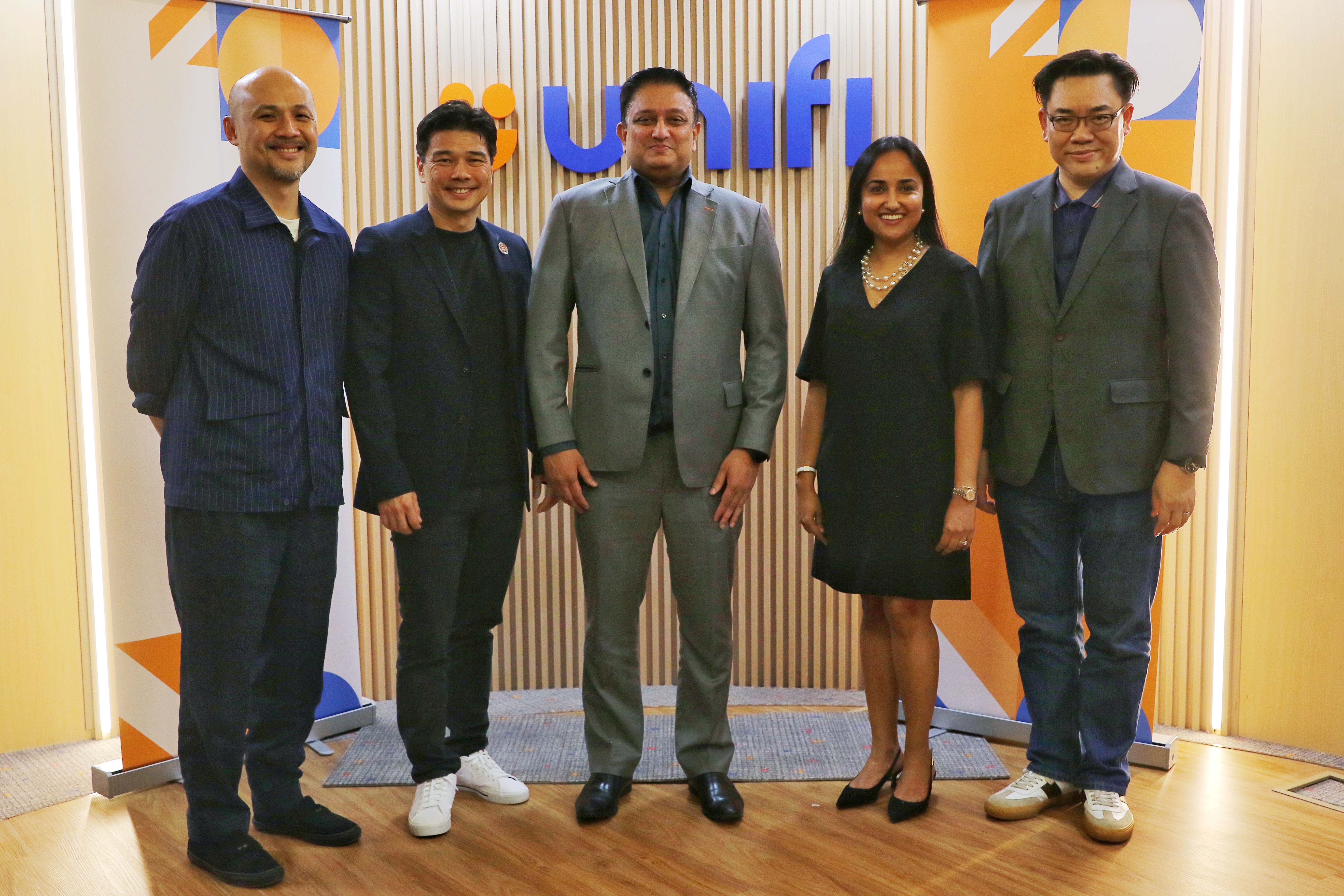
KUALA LUMPUR, 6 March 2026 – Warner Bros. Discovery and Unifi TV today announced that Unifi TV has secured exclusive rights to four premium HBO channels in Malaysia—HBO, HBO Hits, HBO Family, and Cinemax.
The agreement with Warner Bros. Discovery makes Unifi TV the only platform in the country authorised to distribute these channels to households and hotels*. This reinforces Unifi TV’s position as an integrated entertainment and content solutions provider.
The exclusive channels deal underscores Warner Bros. Discovery and Unifi TV’s commitment to the market and long-term strategy to differentiate through meaningful partnerships and quality storytelling that resonates with audiences nationwide.
The HBO channels will be available exclusively through the Unifi TV’s Super Star Pack, Max Plus Pack and Max Pack, which also includes a limited-time offer to streaming platform HBO Max from as low as RM21 per month. These curated packs offer customers flexible options and a premium entertainment ecosystem designed to meet evolving viewing preferences.
To celebrate the exclusive rollout, Unifi is offering free access to all four HBO channels for all customers until 4 April 2026. This limited-time window allows households nationwide to experience HBO’s premium content lineup firsthand.
In addition, hotel partners will be able to deliver the HBO and Cinemax channels to their guests through Unifi TV’s customizable content solution, elevating in-room entertainment offerings.
Anand Vijayan, Chief Business and Consumer Officer at TM said, “Unifi TV continues to invest in premium content to ensure our subscribers have access to the world’s most compelling entertainment. Securing exclusive rights to the HBO channel suite is a major milestone in this journey and a significant win for our customers. By strengthening our content offering and integrating it with our high-speed broadband, mobile, and smart home services, we are delivering a truly converged digital experience that is unmatched in Malaysia.”
Shonali Bedi, Head of Strategy, Partnerships and Insights – APAC at Warner Bros. Discovery said, “This exclusive partnership with Unifi TV reflects our commitment to bring world-class entertainment to audiences across several platforms. We know that there are many fans of our HBO channels in Malaysia, and through this renewed deal, linear audiences can continue to enjoy some of world’s most popular content – including HBO Originals like A Knight of the Seven Kingdoms and the upcoming new season of House of the Dragon.”
NEWSLETTER
Just drop your details and stay updated with the world of Telekom Malaysia. We promise – no spam!
25 Feb 2026
TM AND U MOBILE ENTER INTO 5G WHOLESALE ARRANGEMENT

KUALA LUMPUR, 25 FEBRUARY 2026 – Telekom Malaysia Berhad (TM) today announced that it will enter into a new 5G Multi-Operator Core Network (MOCN) arrangement with U Mobile as part of its approach to strengthen mobile competitiveness and advance its convergence ambitions.
In connection with this transition, TM has exercised its contractual rights under the existing 5G Access Agreement to terminate its current 5G wholesale access arrangement with Digital Nasional Berhad (DNB), in accordance with the terms of the agreement and subject to regulatory processes and requirements.
Mobile services are a critical pillar of TM’s convergence ambitions, enabling integrated fixed, mobile, content and smart services across consumer, SME and enterprise segments. The introduction of the Government’s dual 5G network framework provides the opportunity for TM to evaluate options that best support long-term competitiveness and value of its convergence offerings.
The transition of the 5G service will be thoroughly planned and carried out smoothly to ensure no disruption to customers’ experience.
TM acknowledges DNB’s pioneering role in accelerating Malaysia’s nationwide 5G rollout. The Group remains committed to industry collaborations in advancing Malaysia’s digital infrastructure ecosystem.
TM will continue to progress towards its aspiration to become a Digital Powerhouse by 2030 - delivering resilient, competitive and future-ready solutions for the nation’s digital economy.
NEWSLETTER
Just drop your details and stay updated with the world of Telekom Malaysia. We promise – no spam!
25 Feb 2026
TM’s Q4 revenue up 6.8%, FY2025 dividend totals 31.0 sen
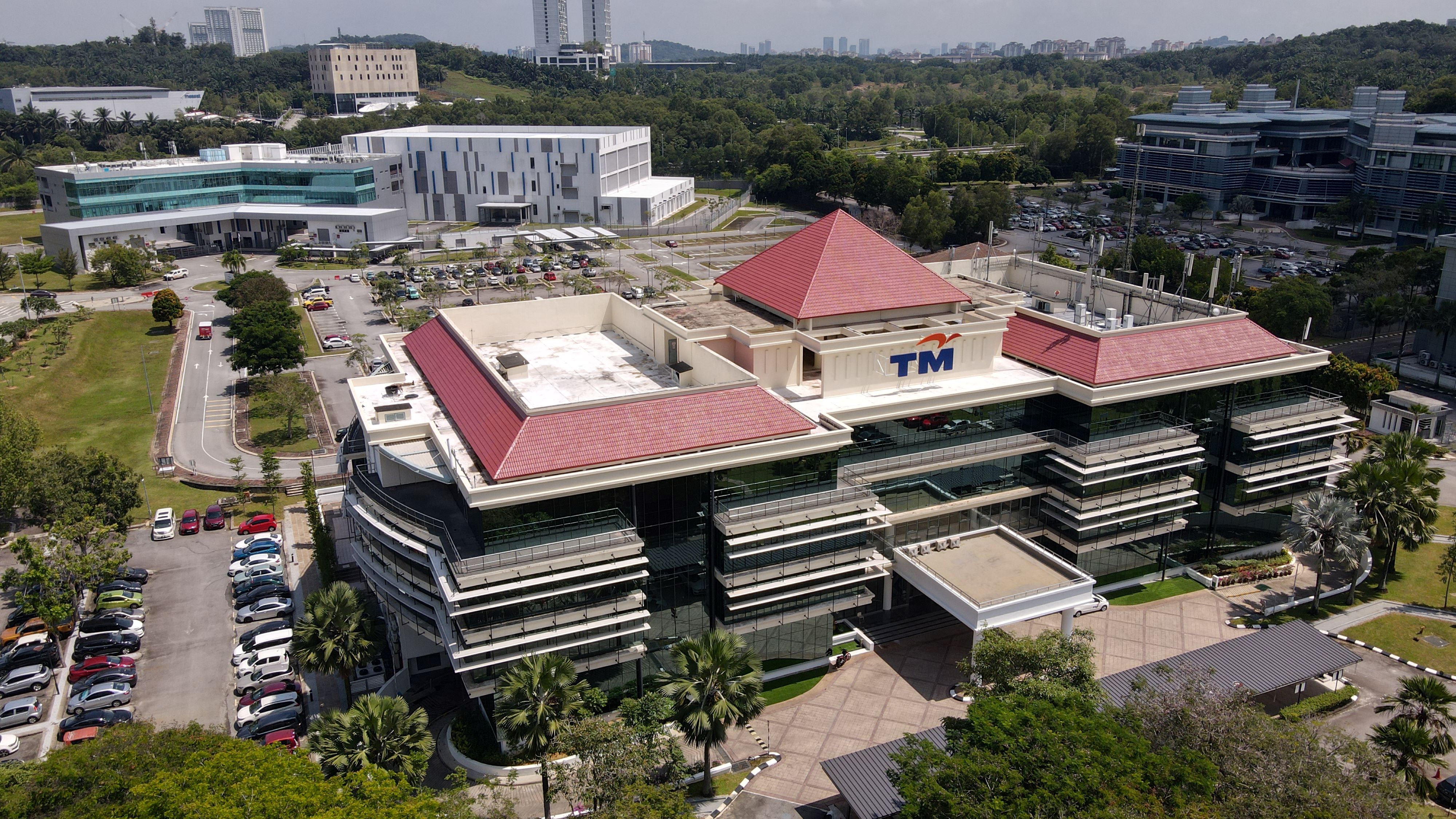
KUALA LUMPUR, 25 February 2026 – Telekom Malaysia Berhad (“TM” or “the Group”) recorded a 6.8% increase in revenue to RM3.26 billion for the fourth quarter of 2025 (4Q2025) compared to corresponding quarter last year, driven by stronger momentum across its businesses as the Group closed the year on a firmer footing. Total dividends for the financial year ended 31 December 2025 (FY2025) amounted to 31.0 sen per share, reflecting the Group’s healthy financial position and execution discipline.
Financial Highlights
For FY2025, the Group’s revenue recorded a 1.4% year-on-year growth, marking its steady annual revenue growth despite an intensely competitive operating environment.
Earnings Before Interest and Tax (EBIT) for FY2025 stood at RM2.03 billion, while Profit After Tax and Non-Controlling Interests (PATAMI) stood at RM1.71 billion. EBIT and PATAMI for 4Q2025 were RM215.5 million and RM222.5 million, respectively. Adjusting for employee voluntary separation requests, foreign exchange movements and selected non-recurring items, PATAMI for 4Q2025 increased by 72.8% from the same period last year, reflecting stronger underlying performance in the quarter.
As TM accelerates its transition towards a more digital and technology-driven business, it remained attentive to the evolving aspirations of its workforce. During the year, TM received a significant number of voluntary separation requests from employees seeking early retirement or career transitions. As a responsible employer, TM accommodated these requests with a fair and attractive transition package. This is win-win for both parties in the long run – employees can comfortably transition to the next phase of their lives, while enabling TM to progressively align towards its future digitalisation priorities. This underscores the Group’s commitment in ensuring responsible workforce management and upholding the social pillar of its sustainability framework.
In line with the Group’s performance and commitment to delivering sustainable returns to shareholders, the Board declared a second interim dividend of 14.5 sen per share and a special dividend of 4.0 sen per share. Together with the interim dividend of 12.5 sen per share announced at mid-year, this brings the total dividend for FY2025 to 31.0 sen per share. This amounts to approximately RM1.19 billion or about 70% of reported PATAMI, the highest payout ratio since 2018.
For FY2025, capital expenditure was maintained at 16.1% of revenue, within the Group’s full-year guidance.
Reflecting on the results, Amar Huzaimi Md Deris, Group Chief Executive Officer of TM said, “FY2025 was a year where we demonstrated our ability to grow while maintaining strong execution discipline in a competitive environment.
At the same time, we balanced the needs of our various stakeholders. For customers, we strived to meet their evolving connectivity and digital needs, delivering more relevant, converged solutions that support their lives and businesses. For employees, we remained attentive to their aspirations as we evolve into a more digital business. For shareholders, we focused on growing and delivering sustainable returns.”
Nation-building and Responsible Growth
“We further strengthened our role as a national digital enabler, investing in the infrastructure that supports Malaysia’s digital economy and long-term competitiveness. This positions the Group on a stronger footing as we move into the next phase of growth. These investments are aligned with TM’s long-term strategy to support growing demand for connectivity, data centre, cloud, digital and AI services across Malaysia and the region.”
“Sustainability is embedded in our business strategy and how we operate. In 2025, we strengthened our governance and sustainability standing, with measurable improvements across national and global ESG benchmarks. This reflects our commitment to responsible growth, strong governance and long-term value creation,” he concluded.
Outlook
TM’s outlook for 2026 remains positive. TM will continue to focus on disciplined execution of its strategic priorities towards its aspiration of becoming a Digital Powerhouse by 2030, while positioning Malaysia as the digital hub for the region.
NEWSLETTER
Just drop your details and stay updated with the world of Telekom Malaysia. We promise – no spam!
13 Feb 2026
A Golden Tribute for SEA Games Sepak Takraw Champions
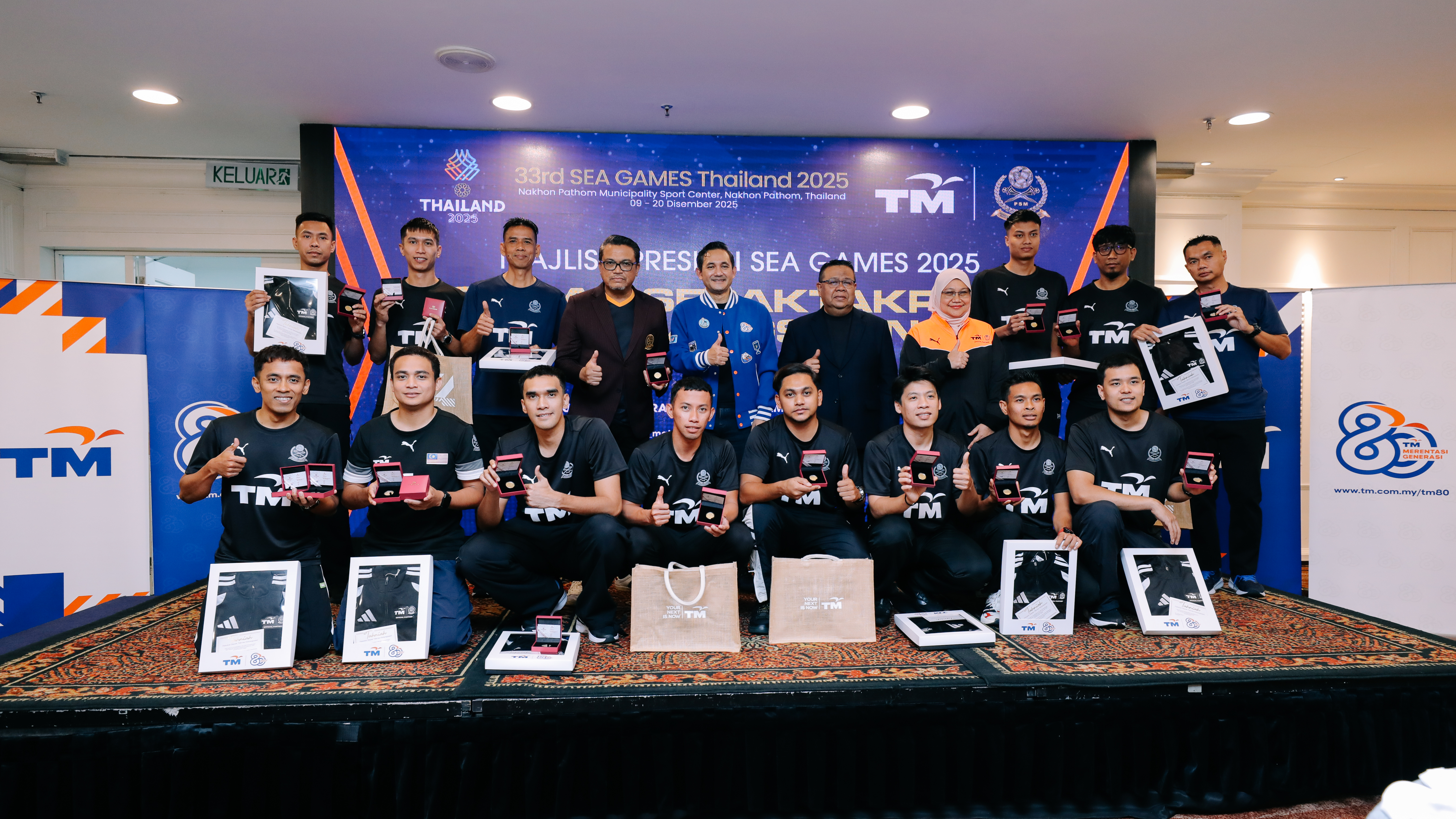
KUALA LUMPUR, 11 February 2026 – The Persekutuan Sepaktakraw Malaysia (PSM), together with its Official Partner Telekom Malaysia Berhad (TM), recently honoured the National Sepak Takraw Squad following their historic performance at the 2025 SEA Games in Thailand, at an appreciation ceremony held at World Trade Centre Kuala Lumpur (WTCKL). The occasion was marked by the presentation of an exclusive, one-of-a-kind 999.9 commemorative gold coin by TM to each SEA Games gold medallist, symbolising TM’s pride in having supported the national squad’s journey to the top of the podium.
The national squad delivered a proud milestone for Malaysian sport, securing two gold medals and three bronze medals, including a long-awaited victory in the Men’s Team Regu event - reclaiming the gold after 34 years. This reflects years of commitment, discipline and perseverance within the team, backed by support from TM as the Official Partner of the national squad.
The appreciation ceremony brought together players, coaches, and officials to acknowledge not only the medals won, but the collective journey behind the success. In addition to the commemorative gold coins presented to gold medallists, TM also presented TM-PSM limited-edition jackets to the wider squad, coaches and PSM officials.
The PSM President, Dato’ Mohd Sumali Reduan said the SEA Games success marked a renewed confidence and chapter for the sport. “Ending a 34-year wait for gold is deeply meaningful for the sport and for the country, and is the result of years of hard work, sacrifice and belief by our athletes and coaches. We are grateful for the strong partnership with TM, whose continued support has played an important role in strengthening the squad’s preparation and confidence. We hope that this achievement will inspire more young Malaysians to take up the sport, pursue their potential, and one day represent the nation with pride.”
TM Group Chief Executive Officer, Amar Huzaimi Md Deris said, “As a nation builder, TM is proud to uplift Malaysian sepak takraw and contribute to the squad’s journey to reclaim gold after a 34-year wait. Through our continued partnership in a sport deeply rooted in our national heritage, we remain steadfast in advancing its growth while elevating Malaysian sepak takraw’s presence on regional and international stages. This reflects our greater purpose to empower communities through sports that foster unity and inclusivity, while reinforcing TM’s aspiration to become a Digital Powerhouse by 2030.”
The collaboration between PSM and TM was formalised in May 2025, which supports the national squad’s participation in major regional and international tournaments, including the ASTAF Asian Cup, SEA Games, Asian Games and ISTAF World Cup. TM also supports sepak takraw talent development through programmes such as the National Sepak Takraw Development Programme (NSTDP) and Kursus Latihan Asas Sukan (KLAS). Through this partnership, PSM and TM share a commitment to strengthening Malaysia’s sporting ecosystem, nurturing national talent and ensuring grassroots sports like sepak takraw continue to empower unity, pride and aspiration for generations to come.
NEWSLETTER
Just drop your details and stay updated with the world of Telekom Malaysia. We promise – no spam!
22 Jan 2026
TM NXERA SECURES 280MW TO POWER AI-READY, GREEN DATA CENTRE CAMPUS IN JOHOR
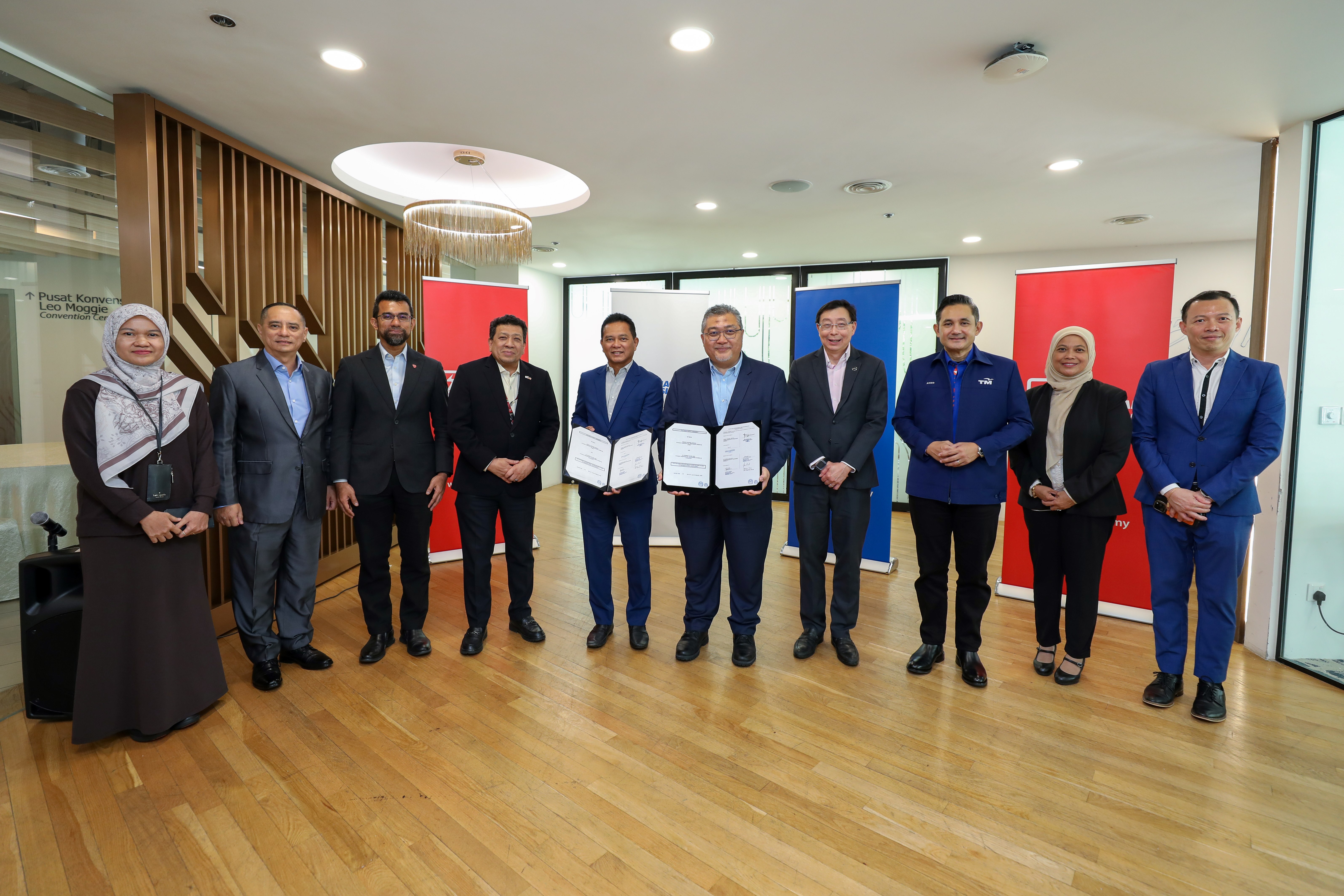
Kuala Lumpur / Singapore, 12 January 2026 – TM Nxera, the joint venture between Telekom Malaysia (TM) and Nxera, Singtel’s regional data centre arm, has signed a multi-year electricity supply agreement with Tenaga Nasional (TNB). This agreement secures 280MW of power for TM Nxera’s upcoming state-of-the-art, hyperconnected, AI-ready data centre campus in Iskandar Puteri, Johor, which is scheduled to begin the first phase of commercial operations in 2026.
Marking this milestone, senior leaders from TM, TM Nxera and TNB came together for a document exchange ceremony in Kuala Lumpur, underscoring the strategic partnership to support the development of TM Nxera’s data centre. TM was represented by Amar Huzaimi Md Deris, Group Chief Executive Officer, and Khairul Liza Ibrahim, Executive Vice President, TM Global, alongside TM Nxera representatives Bill Chang, Chairman; Mahathir bin Said, Chief Executive Officer; and Benedict Kwok, Chief Operating Officer. TNB was represented by Datuk Ir. Megat Jalaluddin Bin Megat Hassan, Chief Executive Officer, and Datuk Kamal Arifin Bin A. Rahman, Chief Retail Officer, reflecting the importance of reliable and scalable power infrastructure in enabling Malaysia’s digital and AI-driven growth.
Mahathir bin Said said, “As reliable and sustainable energy is the key to powering Malaysia’s digital economy and AI ambitions, this agreement with Tenaga Nasional is a critical step forward for our state-of-the-art, green digital infrastructure in Johor. TM Nxera is more than just a data centre venture, it will be a strategic catalyst to accelerate the adoption of AI, cloud and advanced technologies across industries. With 280MW of secured power, we are enhancing our capabilities to support Malaysia’s transformation, attracting global technology investments and fuelling a thriving ecosystem for industrial growth."
The new cloud-enabled Tier 3 data centre campus is one of the flagship investments within the Johor-Singapore Special Economic Zone and is poised to further strengthen Malaysia’s position as a leading regional hub for cloud and AI innovation. Designed to support large-scale AI workloads with scalable capacity of more than 200MW, the facility will serve as a cornerstone of the country’s digital infrastructure, supporting hyperscalers, AI application providers and enterprises to accelerate digital transformation and cloud adoption across the region.
The data centre campus will feature advanced liquid cooling technologies to support large-scale AI deployment and deliver exceptional performance efficiency. It is designed to meet Leadership in Energy and Environmental Design (LEED) standards, integrating energy and water-efficient technologies to maximise resource efficiency. Enterprises and hyperscalers will gain cost-effective access to green and secure infrastructure, without having to build and manage their own facilities. Connectivity for the data centre campus will be backed by TM and Singtel Group’s Digital InfraCo subsea cable networks, ensuring robust global reach and low latency network performance. Together, these capabilities will create one of the most advanced digital infrastructure platforms in Southeast Asia, powering the next wave of AI innovation, cloud adoption and industrial growth.
NEWSLETTER
Just drop your details and stay updated with the world of Telekom Malaysia. We promise – no spam!
26 Nov 2025
TM Advances STEM Education at 35 Schools Nationwide, Launches TMFS Programme
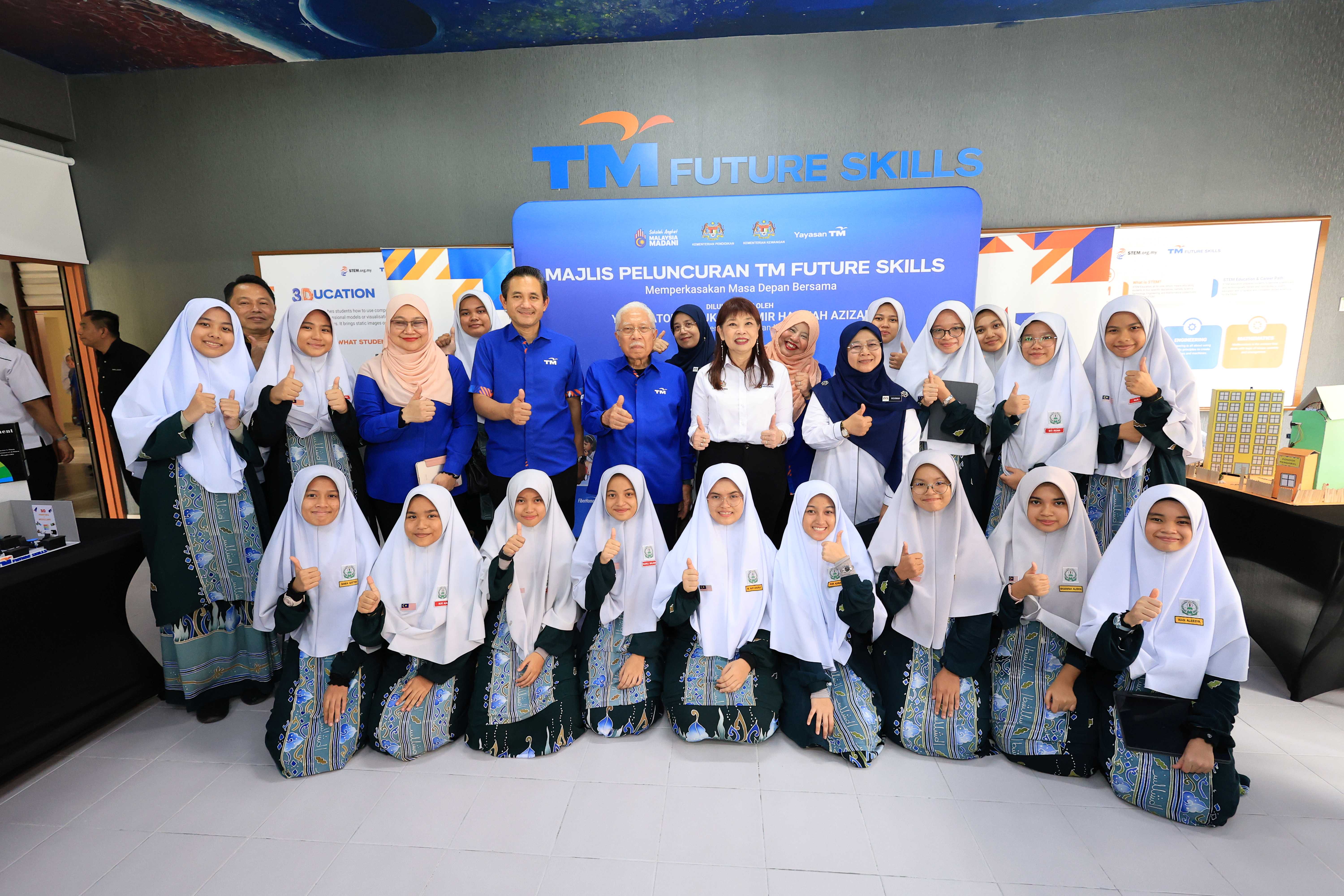
PENANG, 26 November 2025 – Yayasan TM (YTM), the foundation arm of Telekom Malaysia Berhad (TM), today launched the TM Future Skills (TMFS) programme at SMKA (P) AlMashoor, Penang, one of 35 schools nationwide adopted by YTM under the Government’s Sekolah Angkat Malaysia MADANI initiative.
Representing YB Senator Datuk Seri Amir Hamzah bin Azizan, Minister of Finance II, the launch was officiated by YB Lim Hui Ying, Deputy Minister of Finance – marking an important milestone in expanding digital learning opportunities and strengthening students’ participation in science, technology, engineering and mathematics (STEM). As an all-girls school, SMKA (P) AlMashoor represents an important opportunity to strengthen female participation in STEM and inspire more young women to pursue future-focused fields. This aligns with the United Nations’ Sustainable Development Goal 5 (Gender Equality), particularly in ensuring equal access to education and promoting women’s involvement in science and technology. The school also exemplifies the inclusivity that TMFS aims to deliver across all 35 adopted schools which span remote, island, vernacular and religious schools. This diversity underscores TM’s commitment to ensuring that students, regardless of background or learning environment, gain equitable access to future-ready digital education.
YB Senator Datuk Seri Amir Hamzah bin Azizan, Minister of Finance II, highlighted the importance of strengthening digital readiness in schools to support Malaysia’s long-term economic aspirations. “Initiatives such as TM Future Skills play a meaningful role in preparing students with the digital competencies needed to thrive in an increasingly technology-driven world, particularly for high-value sectors that drive national growth. This is an exemplary model of a collaborative effort between government, industry and schools, and I applaud TM for this programme.”
TMFS provides students with structured exposure to STEM subjects through hands-on learning and practical application, including robotics, 3D design, coding, microcontrollers and AI-assisted learning tools. Beyond STEM modules, TMFS also offers teacher certification, digital and soft-skills training including AI learning and communication skills, as well as capability building activities beyond the classroom, such as sports and academic competitions. These components ensure a more holistic and integrated future skills experience for participating schools.
A central feature of the programme is the TMFS Digital Hub. Equipped with 3D printers, robotics kits, programming and coding sets, the hub enables students to apply classroom concepts through real-world activities. Selected “nucleus” schools such as SMKA (P) AlMashoor will also extend the benefits of their Digital Hubs to surrounding satellite schools, contributing to the programme’s broader reach. Collectively, the TMFS programme is expected to benefit more than 60,000 students nationwide through shared learning, digital training and enhanced teacher readiness.
TM Group Chief Executive Officer, Amar Huzaimi Md Deris, said, “TMFS plays an important role in developing Malaysia’s future digital talent. By expanding this programme to 35 schools nationwide, we are enabling more students to acquire the skills needed to succeed in a digital world. This reflects TM’s greater purpose as a nation builder - to nurture talent, broaden digital participation and support a more inclusive future for all Malaysians, in line with our aspiration to become a Digital Powerhouse by 2030.”
NEWSLETTER
Just drop your details and stay updated with the world of Telekom Malaysia. We promise – no spam!
24 Nov 2025
TM Q3 PERFORMANCE IMPROVES ON STRONGER EXECUTION DISCIPLINE

KUALA LUMPUR, 24 November 2025 – Telekom Malaysia Berhad (“TM” or “The Group”) today announced its financial results for the first nine months of 2025 ended 30 September 2025 (YTD 2025), recording a Profit After Tax and Non-Controlling Interests (PATAMI) of RM1.49 billion, up compared to the same period last year. At the same time, the Group registered PATAMI of RM686.3 million in Q3 2025 compared to RM465.1 million in Q3 2024. The higher PATAMI reflects the Group’s execution discipline, coupled with one-off items recognised during the quarter.
Group revenue grew 2.6% to RM2.99 billion in Q3 2025 compared to corresponding quarter last year, with Earnings before Interest and Tax (EBIT) rose 12.9%, to RM619.8 million, reflecting improved product and services margin, productivity gains and disciplined cost management.
Amar Huzaimi Md Deris, Group Chief Executive Officer TM said, “TM’s stronger third-quarter results underscore our momentum in transformation and new growth areas. The improved performance reflects our consistent focus on execution discipline and commitment towards value creation. We are executing our strategy with vigour, solidifying our core business, scaling up our sovereign data centre and cloud infrastructure for growth, while embedding AI across our operations to drive long-term competitive advantage.
As we move into the final quarter, our priority is to ensure growth in profitability whilst continue to invest strategically in future-ready infrastructure that will catalyse the nation’s digital economy, driving inclusivity for all. This is in line with our aspiration of becoming a Digital Powerhouse by 2030 while positioning Malaysia as the digital hub for ASEAN,” Amar added.
Revenue-generating Investments and Value Creation
Capital expenditure stood at 14.9% of revenue, within the Group’s full-year guidance, reflecting disciplined execution in strategic investments. The expansion of its data centres in the Klang Valley and Iskandar Puteri has progressed into operational phase with 20 MW additional capacity now available, reinforcing Malaysia’s position as a regional hub for hyperscalers and cloud service providers.
Together with improved asset utilisation and earnings performance, these disciplined investments have translated into the highest Return on Invested Capital (ROIC) to date of 13.5%. The improved ROIC has contributed positively towards value creation for all stakeholders. Overall, TM maintains a positive outlook for the remainder of 2025.
NEWSLETTER
Just drop your details and stay updated with the world of Telekom Malaysia. We promise – no spam!